Your CharityVillage account gives you three options for exporting application information. They are:
A) Export all applications in your account
B) Export applications for a specific job or volunteer listing
C) Export 1 application at a time
To find your applications once you are signed into your CharityVillage employer account, select Job/Volunteer Applications from the left hand side of your dashboard.
A) Export ALL applications in your account:
1. Click the Export applications link located at the top right.
2. Click the link at the top of the page that says, Click here to download. The file will be an excel spreadsheet that you can save to your device. The spreadsheet will include the following information:
First & Last Name
Applicants Email Address
Job Title
Cover Letter (if the individual chose to type their cover letter in the field provided during the application process, it will appear in this field on the spreadsheet)
Application Date
Application Status
Link to Application
Link to posting they applied to
B) Export applications for a specific posting:
1. Enter the title of the job or volunteer listing in the search field at the top and click the SEARCH button.
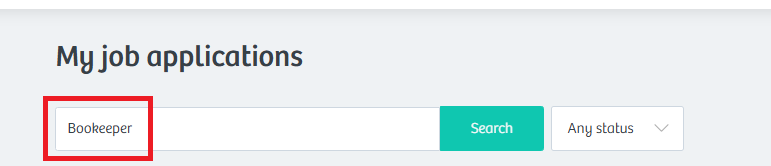
2. Once you’re viewing just the applications for that specific listing, click Export applications at the top right. Click the link at the top of the page that says, Click here to download. The file will be an excel spreadsheet that you can save to your device.
C) Export 1 application at a time:
1. Click the Options drop down menu located to the right of the applicant and then Export.
2. Click the link at the top of the page that says, Click here to download. The file will be an excel spreadsheet that you can save to your device.
Have questions? Please email help@charityvillage.com